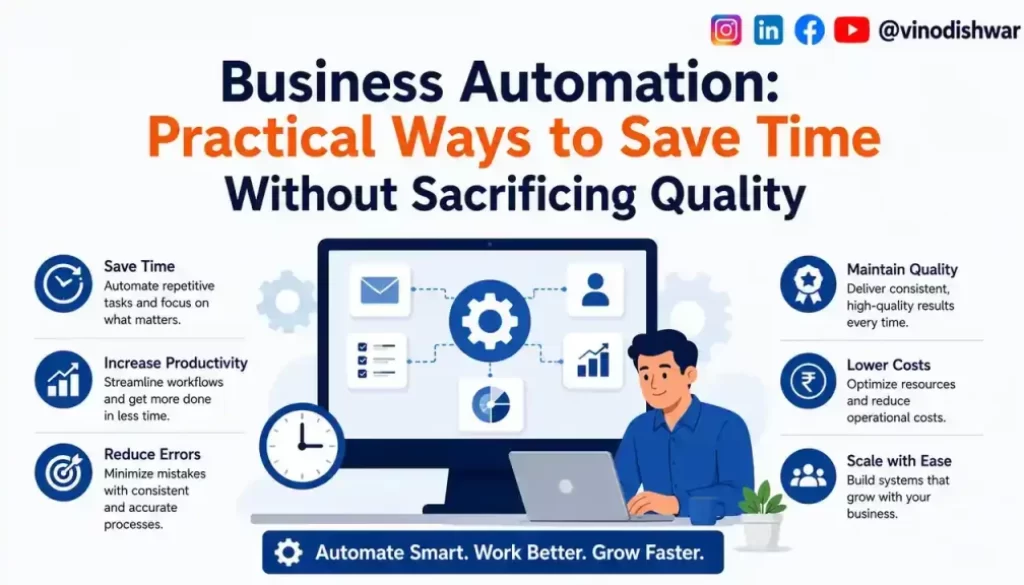
Business Automation: Practical Ways to Save Time Without Sacrificing Quality
Business automation helps companies save time, reduce repetitive work, and improve efficiency without sacrificing quality. Instead of spending hours on manual tasks, businesses can automate routine processes and focus on growth, customer relationships, and strategic decision-making. Learn how a high-converting business website supports business growth before automating your operations.
Every growing business eventually reaches a point where the founder or team is spending significant time on repetitive, predictable tasks — sending the same follow-up emails, manually updating spreadsheets, scheduling social media posts one by one, processing routine customer inquiries. These tasks rarely require genuine human judgment, making them ideal candidates for automation — freeing up time for the strategic, creative, and relationship-driven work that actually grows the business. Before automating your business processes, make sure your business website is designed to convert visitors into customers. A high-performing website provides the strong digital foundation that automation can build upon.
Why Business Automation Matters for Growing Businesses
Time is one of the scarcest resources for small and growing businesses, particularly for founders wearing multiple hats. Automating repetitive tasks doesn’t just save time — it reduces human error, ensures consistency, and allows the business to handle increasing volume without proportionally increasing headcount or founder workload.
Business Automation Areas Every Company Should Automate
1. Customer Communication and Follow-Ups
Automated email sequences for welcome messages, abandoned cart reminders, post-purchase follow-ups, and re-engagement campaigns ensure consistent customer communication without requiring manual effort for each individual interaction. Automated follow-up emails also strengthen your lead generation strategy by nurturing potential customers until they’re ready to make a purchase.
2. Social Media Scheduling
Rather than manually posting content in real-time, scheduling tools allow businesses to plan and queue content in advance, maintaining consistent presence without requiring daily manual posting. Business automation becomes even more effective when combined with a strong content marketing strategy that keeps your audience engaged through consistent publishing. Popular scheduling platforms like Buffer help businesses automate and organize their social media content efficiently.
3. Invoicing and Payment Reminders
Automated invoicing systems can generate and send invoices, track payment status, and send reminder notifications for overdue payments, reducing both manual administrative work and cash flow delays from forgotten follow-ups.
4. Appointment Scheduling and Reminders
Automated booking systems allow customers to self-schedule appointments based on real-time availability, while automated reminder messages reduce no-show rates without requiring manual reminder calls. Platforms like Calendly simplify appointment scheduling by allowing customers to book meetings based on your availability while sending automatic reminders.
5. Inventory and Stock Alerts
Automated systems can track inventory levels and trigger reorder alerts before stockouts occur, reducing the manual monitoring burden while preventing lost sales from unavailable products.
6. Customer Support Ticket Routing
Automated systems can categorize and route incoming customer queries to the appropriate team member or department, and handle common, repetitive questions through self-service resources or chatbots.
7. Data Entry and Reporting
Automating the transfer of data between systems — sales platforms, accounting software, inventory management — reduces manual entry errors and saves significant administrative time, particularly as transaction volume grows.
8. Employee Onboarding Workflows
Automated onboarding sequences can ensure new employees receive necessary documents, training materials, and access credentials consistently, without requiring manual coordination for each new hire.
How to Implement Business Automation Successfully
1. Map Your Current Processes First
Before automating anything, document your current workflows to identify where genuine bottlenecks and repetitive tasks exist, rather than automating processes that may not need automation or may need redesigning before automation.
2. Prioritize High-Frequency, Low-Complexity Tasks First
Start with tasks that occur frequently and require minimal judgment or customization, since these offer the fastest, most reliable return on automation investment.
3. Choose Tools That Integrate With Your Existing Systems
Fragmented automation tools that don’t communicate with each other can create new inefficiencies. Prioritize tools that integrate smoothly with your existing platforms and workflows.
4. Maintain Quality Checks on Automated Processes
Even well-designed automation requires periodic review to ensure it’s functioning correctly and producing the intended quality of output, particularly for customer-facing automated communications.
5. Preserve the Human Touch Where It Genuinely Matters
Not every interaction should be automated. Preserve personal, human involvement for high-value relationship moments, complex problem resolution, and situations requiring genuine empathy or judgment.
Common Business Automation Mistakes
- Automating a poorly designed process, which simply executes inefficiency faster rather than solving the underlying problem.
- Over-automating customer-facing interactions, creating an impersonal experience that damages relationship-driven businesses.
- Choosing disconnected tools that don’t integrate well, creating new manual work to bridge the gaps.
- Neglecting to monitor automated systems, allowing errors or outdated logic to persist unnoticed.
- Automating without first validating the process manually, risking scaling mistakes rather than solving them.
Business Automation Key Takeaways
- Automating repetitive, predictable tasks frees up valuable time for strategic and relationship-driven work.
- Mapping current processes before automating helps identify genuine bottlenecks worth addressing.
- High-frequency, low-complexity tasks typically offer the fastest, most reliable automation returns.
- Integration between automation tools and existing systems prevents new inefficiencies from emerging.
- Preserving human involvement in high-value, relationship-driven interactions remains important even as automation expands.
Conclusion
Thoughtful business automation isn’t about removing the human element from your business — it’s about freeing up human time and attention for the work that genuinely requires judgment, creativity, and relationship-building. Approached strategically, automation becomes a powerful lever for sustainable, efficient growth.
-Vinod Ishwar
FAQs
1. What is business automation?
Business automation uses software and digital tools to handle repetitive tasks such as invoicing, scheduling, email follow-ups, and reporting, helping businesses save time and improve efficiency.
2. Why is business automation important for small businesses?
Business automation reduces manual work, minimizes errors, improves productivity, and allows business owners to focus on strategic activities like customer relationships and business growth.
3. Which business processes should be automated first?
Start by automating repetitive tasks such as customer emails, appointment scheduling, invoicing, social media posting, and data entry, as these provide the quickest return on investment.
4. Can business automation improve customer experience?
Yes. Business automation ensures faster responses, timely follow-ups, consistent communication, and improved service quality while allowing teams to spend more time on complex customer needs.
5. Does business automation replace employees?
No. Business automation handles repetitive tasks while employees focus on decision-making, creativity, customer service, and other activities that require human expertise.
6. What are the biggest mistakes businesses make with automation?
Common mistakes include automating inefficient processes, choosing tools that don’t integrate, over-automating customer interactions, and failing to monitor automated workflows regularly.